
The Four Reports Every Contractor Needs to Master Cash Flow
Most construction companies are sitting on a goldmine of financial data and never fully use it. Job cost reports, aging reports, cash flow statements: they get run at month-end, glanced at, and
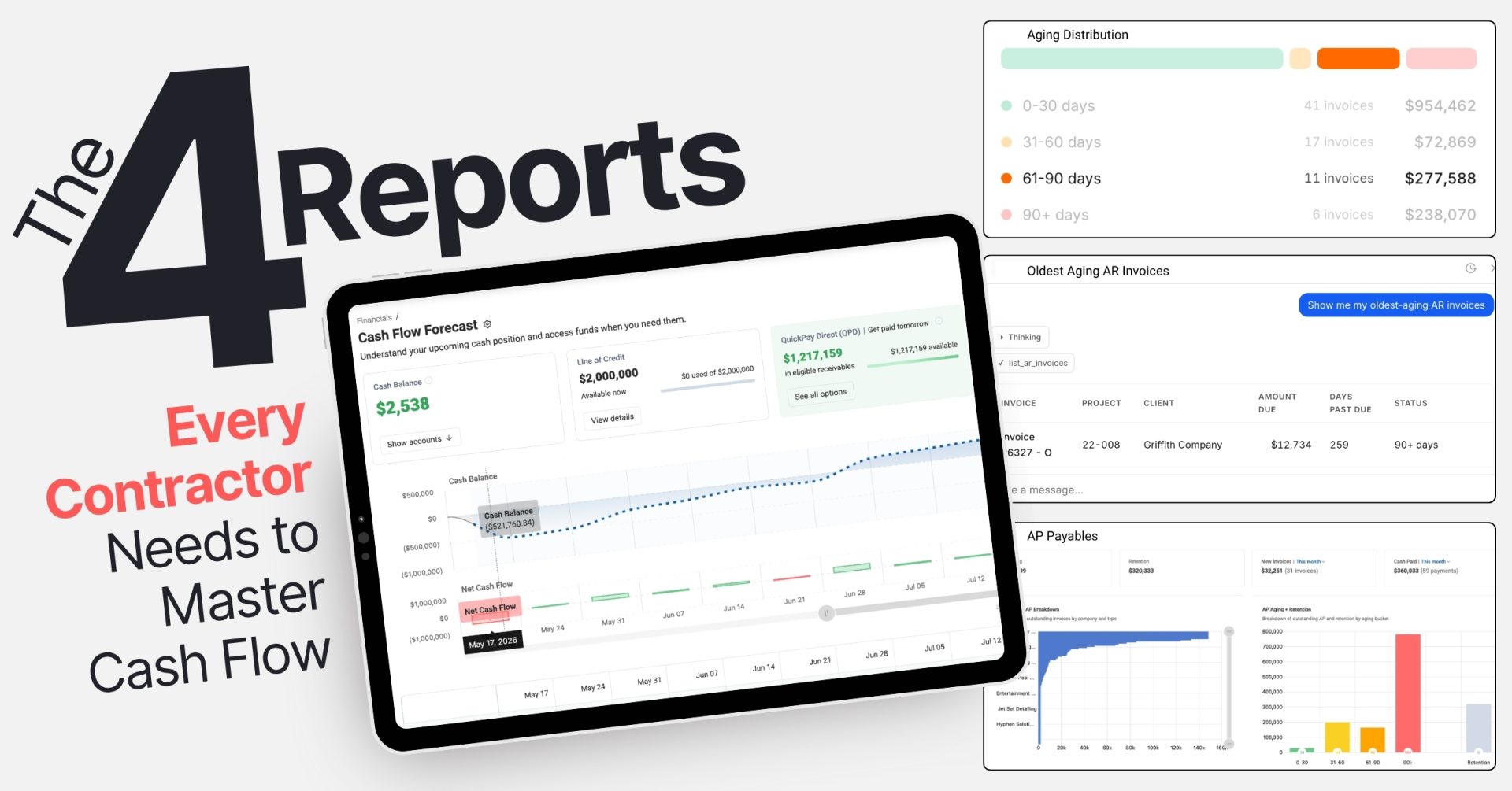
Most construction companies are sitting on a goldmine of financial data and never fully use it. Job cost reports, aging reports, cash flow statements: they get run at month-end, glanced at, and filed. Meanwhile, payroll is coming due, a client is dragging their feet on a $200K progress payment, and a subcontractor just sent a surprise backcharge.
The problem is not a lack of data. It is knowing which reports actually move the needle and how to read them.
Experienced construction financial professionals consistently point to four reports as the foundation of strong construction cash flow management. Not because they are exotic or complicated, but because each one answers a question that, left unanswered, costs contractors real money.
Here is what those reports are, what they tell you, and how to put them to work.
1
Report One
The Cash Flow Statement: Your Liquidity Weather Report
What it is
A financial report that tracks the actual movement of cash in and out of your business across three categories: operating, investing, and financing activities.
The cash flow statement is the most important financial document most contractors underuse. Unlike a profit and loss report, it tells you what is actually happening with your cash, not just what has been earned on paper.
The number to focus on is Operating Cash Flow (OCF). A positive OCF means collections are keeping pace with the work. A negative OCF, even on a profitable project, means billing is falling behind or clients are not paying on time.
Consider a real scenario: a $15M highway project showing $1.2M in profit, but with an OCF of −$150K. The state was slow to pay, AR was ballooning, and subcontractor bills were stacking up. The profit was real, but the cash was not there. Running the cash flow statement bi-weekly and using it to prioritize collections turned that picture around within a quarter.
✓ How to use it
✓
Run it monthly at minimum; bi-weekly on active projects
✓
Build a 13-week rolling construction cash flow forecast using historical OCF trends
✓
If OCF drops below 10% of revenue, treat it as a warning signal: freeze discretionary spending, accelerate collections, or draw on your credit line
2
Report Two
AR Aging Report: The Collections Alarm System
What it is
An accounts receivable aging report sorts all unpaid invoices by how long they have been outstanding, typically in buckets of 0–30 days, 31–60, 61–90, and 90-plus days.
In construction, payment terms already average 60 to 90 days before approval delays push them past 100. Without a regular review of AR aging, slow-paying clients go unnoticed until the damage is already done.
Consider this scenario: One Northeast asphalt contractor had $2.1M in AR, with 35% past 90 days on city contracts. Three clients were collectively disputing $800K. A tiered escalation plan—reminder at Day 61, PM escalation at Day 76, lien notice at Day 91—brought in $1.4M within 60 days, meaningfully improving their cash position heading into the next quarter.
✓ How to use it
✓
Flag anything past 60 days for immediate outreach
✓
Track Days Sales Outstanding (DSO) by dividing total AR by average daily revenue and keep it under 60 days
✓
Watch the 61–90 day bucket month over month; spikes there are early warning signs of client trouble
✓
Set automated alerts for invoices over $5,000 that cross age thresholds
3
Report Three
Job Cost Reports and WIP: Where Profitability Meets Cash Reality
What it is
A job cost report tracks actual costs against budgeted costs, project by project. The WIP (Work-in-Progress) report extends this by showing how much revenue has been earned versus billed at any point in time.
Their real value for construction cash flow is in surfacing underbilling and cost overruns before they spiral.
The key metric: WIP underbilling. If your WIP report shows you are underbilled by more than 10% of contract value, you are essentially financing the project out of pocket. That gap between costs incurred and revenue billed is cash out the door with nothing to show for it yet.
In one case, an $8M fabricating company's job cost report revealed $250K in unreported welding labor from design changes—costs being absorbed without corresponding billing. Catching it early enabled $180K in change order recovery and WIP billing triggers set at 80% completion to prevent the same pattern from recurring.
✓ How to use it
✓
Review job cost reports weekly, not monthly
✓
Flag any job where WIP underbilling exceeds 10% and bill immediately
✓
Use cost-to-date versus budget-to-date to calculate cash burn rate; if you are spending faster than planned, front-load inflows
4
Report Four
AP Aging and Vendor Reports: Managing What Goes Out
What it is
Accounts payable aging is the mirror image of AR aging. It shows what you owe, to whom, and how overdue each balance is, giving you a full picture of your outgoing cash obligations.
Most contractors focus heavily on getting paid and pay less attention to managing how they pay. That is a missed opportunity.
AP aging reveals two things: where you are at risk of damaging supplier relationships or triggering penalties, and where you have room to negotiate better terms.
Consider this example: One Northwest contractor had $1.3M in AP, with 40% past 30 days and penalty exposure from equipment lessors. By renegotiating 60% of total spend to net-45 terms, they saved $65K in fees and maintained a healthy current ratio of 1.8.
✓ How to use it
✓
Sort vendors by dependency: critical suppliers like concrete and steel get paid first
✓
Identify early payment discount opportunities (2/10 net 30 typically yields approximately 20% annualized ROI)
✓
Use volume leverage to extend terms with high-spend vendors
✓
Cross-reference AP aging with your cash flow statement to sequence payments strategically
Putting It All Together
These four reports do not work in isolation. They compound each other. Cross-referencing AR aging with job cost reports reveals underbilling tied to slow-paying clients or needed improvements in billing practices. Comparing AP aging with your cash flow statement helps sequence outflows to protect liquidity.
Contractors who review these reports weekly, not quarterly, consistently outperform those who do not. It shifts construction cash flow management from reactive scrambling to strategic command. You are not waiting to discover a problem. You are seeing it 30, 60, or 90 days before it hits.
Modern construction financial platforms make this easier than ever, surfacing these reports in real time and flagging variances automatically. ProNovos is built specifically for this kind of financial visibility, giving construction teams the reporting infrastructure to turn raw accounting data into decisions that protect cash and support growth.
The reports are already there. The question is whether you are using them.
You now have the framework. The reports, the metrics, the warning signs to watch. The only question left is how fast you can put them to work.
ProNovos is built to make that easy.