
Key Performance Indicators (KPIs) for Work in Progress (WIP)
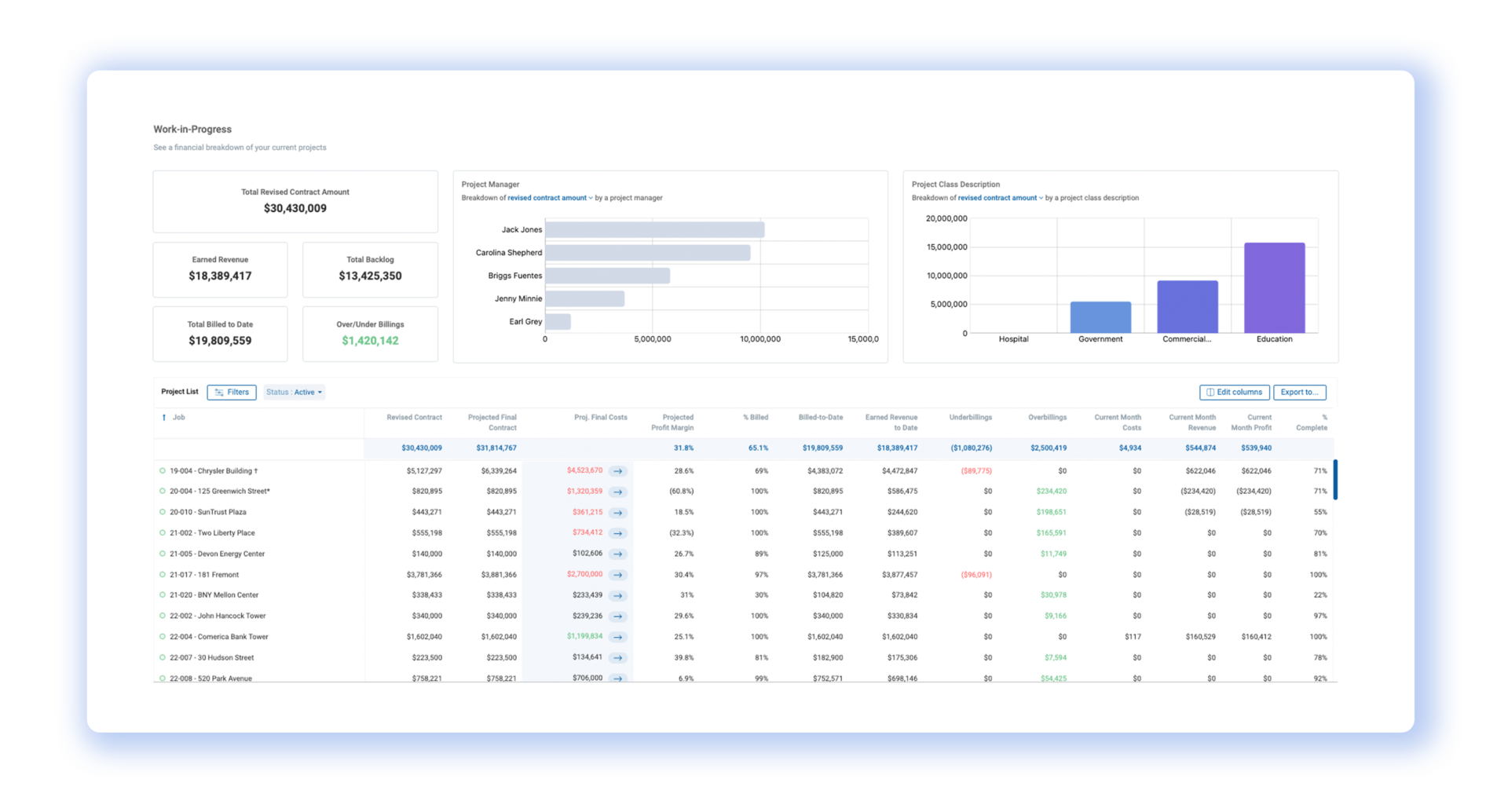
The WIP schedule is essentially the construction industry's version of a report card. It shows a detailed breakdown of each project's status, providing critical information such as costs incurred


The WIP schedule is essentially the construction industry's version of a report card. It shows a detailed breakdown of each project's status, providing critical information such as costs incurred, revenues earned, and the overall profitability at any point during the project lifecycle. It allows for real-time tracking and assessment of performance, aiding in proactive decision-making, risk mitigation, and effective cash flow management.
A well-maintained WIP schedule is more than just a reporting tool—it is a strategic instrument that equips project managers, executives, and external stakeholders with key insights to foresee potential problems and ensure that projects are completed on time and within budget. The right metrics—key performance indicators (KPIs)—form the basis of the WIP schedule and their accurate tracking and interpretation is crucial for project success.
In this article, we delve into these vital KPIs, providing a comprehensive understanding of their meaning, their calculation, and their role in the effective management of a construction project. Whether you're a project manager, a construction accountant, or a stakeholder looking to optimize project outcomes, understanding these KPIs is essential.

ORIGINAL
Contract
The original contract amount is the agreed-upon contract amount the client will pay for the project's initial scope of work. It serves as the foundation for the financial management of the project.
Budget
The original budget is the initial estimate of the total cost to complete the project. It serves as a financial baseline against which the actual costs are measured.
Estimated Profit
Original estimated profit is the amount of profit expected to be earned from the project's initial scope of work.
Original Estimated Profit = Original Contract – Original Budget
Profit Margin
The original profit margin is the amount of profit a company earns for every dollar of revenue generated by a project, after taking into account all the costs and expenses involved in completing the project's initial scope of work.
Original Profit Margin = (Original Contract – Original Budget) ÷ Original Contract
REVISED
Contract
The revised contract is the current agreed-upon contract amount the client will pay, which takes into account change orders that were not part of the original contract.
Revised Contract = Original Contract + Change Order Contract Amount
Budget
The revised budget is the new estimate of the total cost of the project, which takes into account change orders that were not part of the original budget.
Revised Budget = Original Budget + Change Order Budget Amount
Profit
The revised profit is the amount of profit expected to earn from the project, taking into account any changes made to the original contract or budget.
Revised Profit = Revised Contract – Revised Budget
Profit Margin
The revised profit margin is the amount of profit a company earns for every dollar of revenue generated by a project, after taking into account all the costs and expenses involved in completing the project's initial scope of work and all change order work.
Revised Profit Margin = (Revised Contract – Revised Budget) ÷ Revised Contract
PROJECTED
Final Contract
The projected final contract is the projected contract at completion. It is similar to the revised contract but can also take into account any pending change orders or other anticipated changes to the contract amount.
Final Costs
The projected final cost is the projected estimated cost at completion. It represents what the actual costs will be at the end of the project instead of the current budget.
Profit
The projected profit is the amount of profit expected to earn from the project based on the current projected final contract and cost.
Projected Profit = Projected Final Contract – Projected Final Cost
Profit Margin
The projected profit margin is the amount of profit a company earns for every dollar of revenue generated by a project, based on the current projected final contract and cost.
Projected Profit Margin = (Projected Final Contract – Projected Final Cost) ÷ Projected Final Contract
PRIOR / TO DATE
Job Costs to Date
Job costs to date are the total of all costs incurred on a project up until the current date.
Prior Years Revenue
Prior years revenue is the amount of revenue recognized on a project based on the percent complete as of the end of the previous year.
PY Revenue = (PY Costs ÷ PY Projected Final Cost) x PY Projected Contract Amount
Prior Years Cost
Prior years cost is the total costs incurred on a project as of the end of the previous year.
YTD Revenue
YTD revenue is the total revenue recognized on a project from the beginning of the year up to the current date, or the selected through date filter.
YTD revenue = (Job Cost to Date ÷ Projected Final Cost) x Projected Final Contract – Prior Years Revenue
Prior Years Gross Profit
Prior years gross profit is the total profit on a project as of the end of the previous year.
PY Gross Profit = PY Revenue – PY Costs
Year to Date (YTD) Costs
YTD costs are the total costs incurred on a project from the beginning of the year up to the current date, or the selected through date filter.
YTD Costs = Job Costs to Date – Prior Years Cost
YTD Revenue
YTD revenue is the total revenue recognized on a project from the beginning of the year up to the current date, or the selected through date filter.
YTD revenue = (Job Cost to Date ÷ Projected Final Cost) x Projected Final Contract – Prior Years Revenue
YTD Profit
YTD profit is the total profit on a project from the beginning of the year up to the current date, or the selected through date filter.
YTD Profit = YTD Revenue – YTD Costs
Earned Revenue
Earned revenue is the amount of revenue that has been recognized for work completed on a project, based on the percentage of completion.
Earned Revenue = (Job Costs to Date ÷ Projected Final Cost) x Projected Final Contract
What is revenue recognition in construction?
Billed to Date
Billed to date is the total amount that has been invoiced to the customer on the project up until the current date.
% Billed
% Billed is the percentage of the revised contract amount that has been invoiced to the customer.
% Billed = Billed to Date ÷ Revised Contract
Over/Underbillings
Over/Underbillings is the difference between the amount of revenue recognized for a project and the amount billed to the customer.
Over/Underbillings = Billed to Date – Earned Revenue
Job Borrow
Job borrow is the amount billings exceed your cost and profit and is an indicator of whether the customer or contractor is financing the job.
Job Borrow = Billings to Date – Job Costs to date – Projected Profit
Why ‘Job Borrow’ is a Key Metric for Contractors
Backlog
Backlog is the remaining amount of revenue still to be recognized on a project.
Backlog = Projected Final Contract – Earned Revenue
Remaining to Bill
Remaining to bill is the value of the revised contract amount that has not been billed to the customer yet.
Remaining to Bill = Revised Contract – Billed to Date
Cost to Complete
Cost to complete is the additional cost it will require to complete a project based on the current projected final cost. It is calculated as the Projected Final Cost minus Job Cost to Date.
% Complete
% Complete is the percentage of the project that has been completed based on costs.
% Complete = Job Cost to Date / Projected Final Cost
+/-
+/- is the amount the current projected final cost exceeds or is less than the revised budget amount.
+/- = Projected Final Cost – Revised Budget
Approved Change Orders
Approved change orders are the change order contract amount for all change orders that have been approved.
Pending Change Orders
Pending change orders are the change order contract amount for all change orders that are still being reviewed by the client.
ProNovos automates financial workflows; such as the WIP report and all the key calculations mentioned above into a dynamic and real-time report. See a 2 minute overview of the ProNovos WIP: