fbpx

Published May 21, 2026 . 0 min read

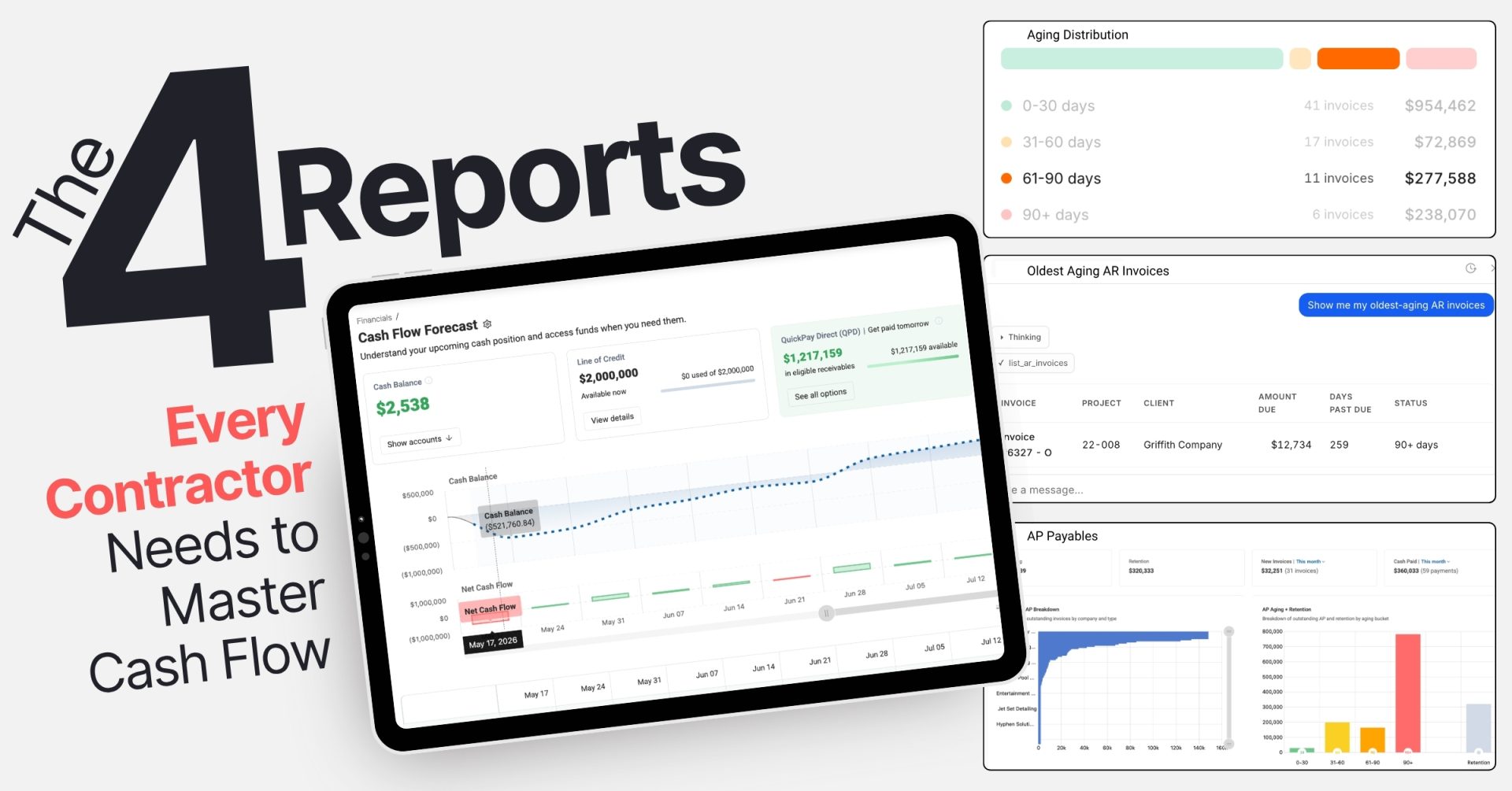
The Four Reports Every Contractor Needs to Master Cash Flow

Most construction companies are sitting on a goldmine of financial data and never fully use it. Job cost reports, aging reports, cash flow statements: they get run at month-end, glanced at, and filed. Meanwhile, payroll is coming due, a client is dragging their feet on a $200K progress payment, and a subcontractor just sent a surprise backcharge.

The problem is not a lack of data. It is knowing which reports actually move the needle and how to read them.

Experienced construction financial professionals consistently point to four reports as the foundation of strong construction cash flow management. Not because they are exotic or complicated, but because each one answers a question that, left unanswered, costs contractors real money.

Here is what those reports are, what they tell you, and how to put them to work.

1
Report One

The Cash Flow Statement: Your Liquidity Weather Report

What it is
A financial report that tracks the actual movement of cash in and out of your business across three categories: operating, investing, and financing activities.

The cash flow statement is the most important financial document most contractors underuse. Unlike a profit and loss report, it tells you what is actually happening with your cash, not just what has been earned on paper.

The number to focus on is Operating Cash Flow (OCF). A positive OCF means collections are keeping pace with the work. A negative OCF, even on a profitable project, means billing is falling behind or clients are not paying on time.

Consider a real scenario: a $15M highway project showing $1.2M in profit, but with an OCF of −$150K. The state was slow to pay, AR was ballooning, and subcontractor bills were stacking up. The profit was real, but the cash was not there. Running the cash flow statement bi-weekly and using it to prioritize collections turned that picture around within a quarter.

✓  How to use it
Run it monthly at minimum; bi-weekly on active projects
Build a 13-week rolling construction cash flow forecast using historical OCF trends
If OCF drops below 10% of revenue, treat it as a warning signal: freeze discretionary spending, accelerate collections, or draw on your credit line

Cash Flow Forecast

Understand your upcoming cash position and access funds when you need them.

Cash Balance

Net Cash Flow

Historical Forecast Inflow Outflow
Try an interactive cash flow forecast yourself →

John O’Bryan
Marketing Manager

2
Report Two

AR Aging Report: The Collections Alarm System

What it is
An accounts receivable aging report sorts all unpaid invoices by how long they have been outstanding, typically in buckets of 0–30 days, 31–60, 61–90, and 90-plus days.

In construction, payment terms already average 60 to 90 days before approval delays push them past 100. Without a regular review of AR aging, slow-paying clients go unnoticed until the damage is already done.

Consider this scenario: One Northeast asphalt contractor had $2.1M in AR, with 35% past 90 days on city contracts. Three clients were collectively disputing $800K. A tiered escalation plan—reminder at Day 61, PM escalation at Day 76, lien notice at Day 91—brought in $1.4M within 60 days, meaningfully improving their cash position heading into the next quarter.

✓  How to use it
Flag anything past 60 days for immediate outreach
Track Days Sales Outstanding (DSO) by dividing total AR by average daily revenue and keep it under 60 days
Watch the 61–90 day bucket month over month; spikes there are early warning signs of client trouble
Set automated alerts for invoices over $5,000 that cross age thresholds
Outstanding
$1,273,738
91 invoices
Retention
$789,958
withheld to date
New invoices
$138,762
40 invoices
Cash paid
$193,470
57 payments
Outstanding AR breakdown
Breakdown of outstanding invoices by client
C.W. Driver
$402k — 82 days avg
$402k
Turner Constr.
$251k — 54 days avg
$251k
Sagoma Interna.
$184k — 47 days avg
$184k
Clark/Guido
$122k — 38 days avg
$122k
A&C Construct.
$78k — 22 days avg
$78k
Hensel Phelps
$156k — 67 days avg
$156k
AR aging + retention
Breakdown of outstanding AR and retention by aging bucket
$631k
0-30 days: $631k
0-30
$98k
31-60 days: $98k
31-60
$512k
61-90 days: $512k
61-90
$32k
90+ days: $32k
90+
$790k
Retention: $790k
Retention
0-30 days
31-60 days
61-90 days
90+ days
Retention
3
Report Three

Job Cost Reports and WIP: Where Profitability Meets Cash Reality

What it is
A job cost report tracks actual costs against budgeted costs, project by project. The WIP (Work-in-Progress) report extends this by showing how much revenue has been earned versus billed at any point in time.

Their real value for construction cash flow is in surfacing underbilling and cost overruns before they spiral.

The key metric: WIP underbilling. If your WIP report shows you are underbilled by more than 10% of contract value, you are essentially financing the project out of pocket. That gap between costs incurred and revenue billed is cash out the door with nothing to show for it yet.

In one case, an $8M fabricating company’s job cost report revealed $250K in unreported welding labor from design changes—costs being absorbed without corresponding billing. Catching it early enabled $180K in change order recovery and WIP billing triggers set at 80% completion to prevent the same pattern from recurring.

✓  How to use it
Review job cost reports weekly, not monthly
Flag any job where WIP underbilling exceeds 10% and bill immediately
Use cost-to-date versus budget-to-date to calculate cash burn rate; if you are spending faster than planned, front-load inflows
Work-in-Progress
Our WIP
WIP Views
✓  Our WIP
    Surety WIP
    Executive View
+ Create your own
Financial breakdown of your current projects
Earned Revenue
$17,204,037
Backlog
$12,894,729
Billed To Date
$20,154,318
Over / (Under)
Billings
$2,950,281
Over & Under Billings by Client
Underbillings by Project Manager
Project List
Filters
Status : Active
Job Status
Active
Bid
Closed
Inactive
Overhead
Project Manager : All selected (4)
Project Manager
Anthony Davis
Tim Couch
Lynn Bowden
Will Levis
Hide Jobs : 2 selected
Job Revised
Contract
Projected Final
Contract
Revised
Budget
Projected Final
Costs
Projected
Profit
Projected Profit
Margin
Profit Margin
Fade/Gain
4
Report Four

AP Aging and Vendor Reports: Managing What Goes Out

What it is
Accounts payable aging is the mirror image of AR aging. It shows what you owe, to whom, and how overdue each balance is, giving you a full picture of your outgoing cash obligations.

Most contractors focus heavily on getting paid and pay less attention to managing how they pay. That is a missed opportunity.

AP aging reveals two things: where you are at risk of damaging supplier relationships or triggering penalties, and where you have room to negotiate better terms.

Consider this example: One Northwest contractor had $1.3M in AP, with 40% past 30 days and penalty exposure from equipment lessors. By renegotiating 60% of total spend to net-45 terms, they saved $65K in fees and maintained a healthy current ratio of 1.8.

✓  How to use it
Sort vendors by dependency: critical suppliers like concrete and steel get paid first
Identify early payment discount opportunities (2/10 net 30 typically yields approximately 20% annualized ROI)
Use volume leverage to extend terms with high-spend vendors
Cross-reference AP aging with your cash flow statement to sequence payments strategically
AP Payables
Totals
Outstanding
$1,222,869
Retention
$320,333
New Invoices |
Time Period
This week
✓ This month
This quarter
This year
$35,970 (44 invoices)
Cash Paid |
Time Period
This week
✓ This month
This quarter
This year
$360,033 (59 payments)
Outstanding AP Breakdown
Breakdown of outstanding invoices by company and type
AP Aging + Retention
Breakdown of outstanding AP and retention by aging bucket
Outstanding Invoices
Filter By
Vendor
Vendor Code
Project
Invoice #
Aging Status
Invoice Date
Due Date
Column Options
Vendor
Project
Invoice #
Retention
Aging Status
Invoice Date
Due Date
Amount
Projected Payment Date
Vendor Code
Export Format
PDF
Excel
Vendor Project Invoice # Retention Aging Status Invoice Date Due Date
ⓘ  This is an example report. Data shown is for illustrative purposes only and does not reflect actual company financials.

Putting It All Together

These four reports do not work in isolation. They compound each other. Cross-referencing AR aging with job cost reports reveals underbilling tied to slow-paying clients or needed improvements in billing practices. Comparing AP aging with your cash flow statement helps sequence outflows to protect liquidity.

Contractors who review these reports weekly, not quarterly, consistently outperform those who do not. It shifts construction cash flow management from reactive scrambling to strategic command. You are not waiting to discover a problem. You are seeing it 30, 60, or 90 days before it hits.

Modern construction financial platforms make this easier than ever, surfacing these reports in real time and flagging variances automatically. ProNovos is built specifically for this kind of financial visibility, giving construction teams the reporting infrastructure to turn raw accounting data into decisions that protect cash and support growth.

The reports are already there. The question is whether you are using them.

You now have the framework. The reports, the metrics, the warning signs to watch. The only question left is how fast you can put them to work.

ProNovos is built to make that easy.

Schedule a Strategy Session →

Expert resource
Financial Fluency: Conquering Over and Under Billings in Construction
Are over and underbillings causing headaches in your construction projects? Discover the key strategies to navigate these financial complexities and optimize your project's success.
Download the eBook